Case study — E-commerce & Integrations · WooCommerce + Bizzio ERP
semplohome.com: rescuing a failing ERP-to-store integration
Nightly ERP sync for 11,000+ products — fully automated, reported, proven.
Client — Semplo Concept Ltd.
Summary
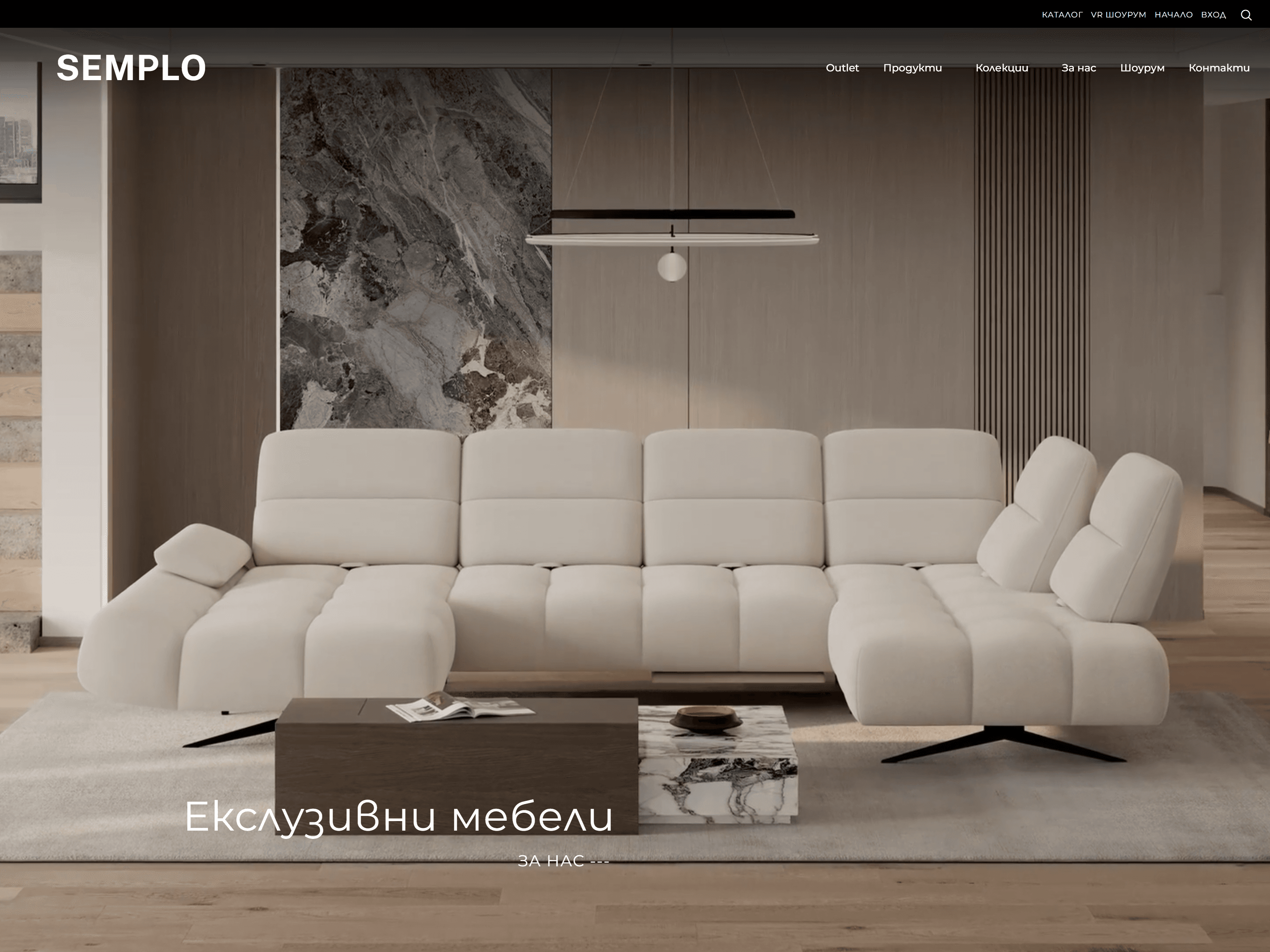
Semplo Concept Ltd., the Sofia home-furnishings retailer behind semplohome.com, runs its catalogue of more than 11,000 products in the Bizzio ERP and sells them through WooCommerce. The connection between the two had been failing for months: products went missing, photos never arrived, and the ERP vendor itself complained about the load.
We took over the integration, diagnosed every failure down to its cause and rebuilt the sync as a monitored nightly process. Today one request to the ERP per night brings every changed article across, each run is checked for completeness, and the shop runs without manual re-imports.
Today the whole process is automated. The sync starts on its own every night while the team sleeps, records every product it touches, and emails a report in the morning. The hours the team used to spend checking the shop against the ERP now go into growing the business.
We also fixed our own mistakes along the way. This case study lists them next to the ones we inherited.
The starting point
In January 2026 the ERP vendor wrote to the client that the site's integration was misbehaving, and the client forwarded the message to us the next morning. The vendor's own logs showed three problems:
- The site called the ERP every 3–4 seconds, around the clock, each time asking for every article changed in the last few hours, with images. The vendor's guidance was once a minute at most.
- The sync stopped for almost 20 hours and then again the same evening.
- Each request asked for changes in a fixed window behind the current time, so anything changed during a longer outage was silently lost.
The integration then in place was a single-file plugin with one "Sync" button: no history, no error reporting, no way to see what had arrived. Staff had learned to send products in hand-picked batches of up to 200 and check the next day what had made it across. Photos uploaded in the ERP never appeared in the shop.
The real cost was the team's time. Nobody could see when an import started or finished, or which products had made it. To find out, staff spent hours comparing products in the ERP with products on the website by hand — every time.
Reviewing that code later, we also found the ERP password written in plain text in the plugin's code, and a site endpoint that let any visitor trigger a request to the ERP without logging in.
What we found
We traced 14 defects to their cause: 5 inherited, 8 in our own earlier versions and 1 in the server setup. Each was reproduced in a test before it was fixed.
| Defect | Origin | Effect in the shop | Fixed in |
|---|---|---|---|
| ERP polled every 3–4 s | Inherited | Constant load on the ERP; vendor complaint | v1.0.0 (Jan 2026) |
| Fixed time window behind "now" | Inherited | Changes made during an outage were lost | Partly: 48 h overlapping window since v1.1.2; "last successful read" planned |
| ERP password in plain text in the code; public endpoint calling the ERP | Inherited | Security exposure | Old plugin stopped in Jan 2026, right after the vendor's email |
| ERP image links rejected by WordPress | Inherited | Photos never reached the shop | v1.1.0 (Jul 2026) |
| 111 products created twice | Inherited | Updates to those products always failed | Data cleanup, Oct 2026 |
| Scheduled job ran an old PHP version, output discarded | Server setup | Nightly sync silently stopped for 9 days | Server fix, 20 Sep 2026 |
| Every second batch skipped on import | Ours | Roughly 1 in 2 new products never created | v1.1.1 |
| Nightly list re-fetched per batch; ERP changed the order | Ours | Some products skipped, others processed twice | v1.1.2 |
| History stored local time as UTC | Ours | Duplicate rows, negative durations, times off by 3 h | v1.2.0 |
| Opening the dashboard changed run data | Ours | A look could stop a running sync | v1.2.0 |
| ERP error codes never detected | Ours | Failures reported as success | v1.2.0 |
| Run state kept in a cache that two processes saw differently | Ours | Products dropped from runs started by page views | v1.2.1 |
| Reloading the progress page started a full sync | Ours | Risk of an accidental full-week sync | v1.2.2 |
| Stock management forced on external products | Ours | Any of the 730 made-to-order products failed to update when it changed in the ERP | v1.2.3 |
The duplicates show how the old design failed: both copies of each pair were created in the same minute, during the weeks the vendor logged requests every 3–4 seconds. That fits two overlapping requests creating the same product; the old code has no lock against it. We removed all 111 duplicates free of charge, as part of looking after a valued long-term client.
What we built
The sync now runs once a night on the server's own schedule, asks the ERP a single question and checks its own work before calling the run complete. Nothing in the shop depends on someone visiting the site or pressing a button.
| Release | Date | What changed for the shop |
|---|---|---|
| v1.2.3 | 3 Oct 2026 | Made-to-order (external) products update correctly; log export fixed |
| v1.2.2 | 2 Oct 2026 | A sync starts only from a deliberate click; duplicate-product errors name the other product; logs separate real changes from re-checks |
| v1.2.1 | 1 Oct 2026 | One ERP request per night instead of one per batch; run state stored in the database, not a cache |
| v1.2.0 | 27 Sep 2026 | Read-only dashboard, correct times in history, ERP error codes detected and alerted |
| v1.1.2 | 22 Sep 2026 | Nightly work list frozen at the start; a run with any unhandled article is marked incomplete, never "done" |
| v1.1.1 | 20 Sep 2026 | Import no longer skips every second batch |
| v1.1.0 | 17 Jul 2026 | Photos from the ERP reach the shop; image failures visible in history |
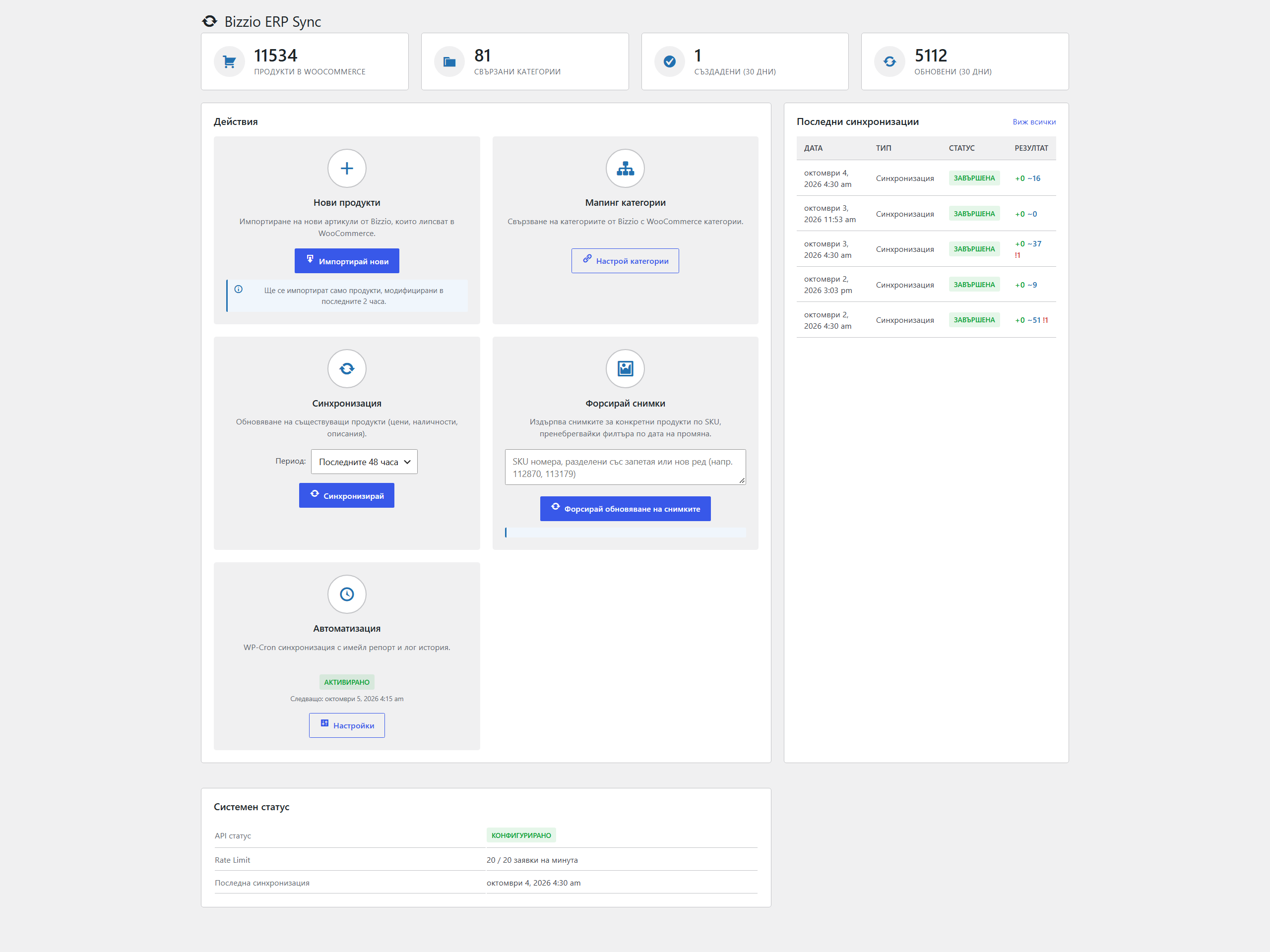
| v1.0.0 | Jan 2026 | Replaced the one-button plugin: scheduled sync, batching, rate limit, history, email reports, dashboard |
 Full size
Fully automated: the shop updates while the team sleeps
Nobody has to start, watch or check the sync any more. Every step the team used to do by hand now happens on its own.
| Task | Before | Now |
|---|---|---|
| Starting an import | Someone pressed a button and picked batches of up to 200 products | Starts automatically every night at 04:15 |
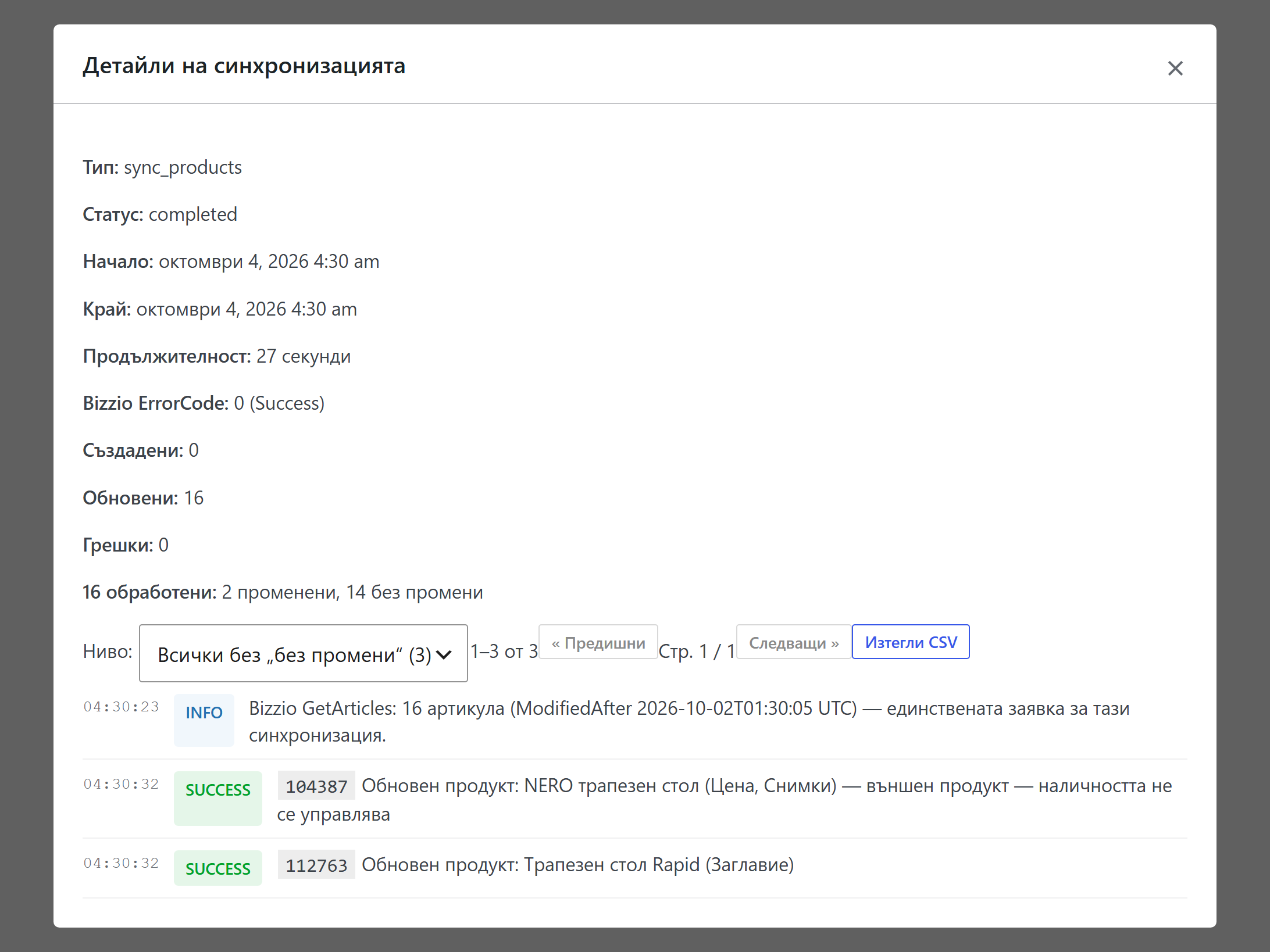
| Knowing when it ran | No start or end time anywhere | Every run in the history: start, end, duration |
| Checking what arrived | Hours comparing the ERP with the website by hand | A log for every product: updated, unchanged or failed, and why |
| Hearing the result | Only by going to look | An email report after every run, an alert if something fails |
| Keeping a record | None | Any run downloadable as a CSV file |
 Full size
The time saved goes back into the business — selling, not checking.
How we proved it
Since September 2026 every fix has been shown failing on the old code before it was written, and the full test suite (318 checks across 22 scripts) passes before any release leaves the laptop.
- Tests against reality. The test server answers like the real ERP, checked against the vendor's documentation and an anonymised real response.
- Repeatable releases. Each release is built twice from the same source and must produce an identical file, checked again before upload.
- Safe deploys. A full backup before every change, deploys only in daytime with hours left for a rollback, and a written rollback that takes one upload.
- A daily check. Each morning: the shop answers for an anonymous visitor, the night's run covered every article exactly once, the server log is clean.
- A clean week. Seven clean nights in a row before we call it done. Any unexplained error restarts the count. On the last night the host's scheduler skipped a slot; the sync started 15 minutes later on its own and still covered every change.
The daily check earned its place on its first morning under v1.2.2: it caught a made-to-order product that had never updated, an old defect of ours that no test had covered. It was fixed and released the same day, and the next night's run updated that product without error.
Results
The ERP now gets one request a night instead of one every few seconds, and every run proves it covered each changed article exactly once.
| Measure | Before | Now |
|---|---|---|
| Requests to the ERP | One every 3–4 s, around the clock (vendor logs) | 1 per nightly run |
| Typical nightly run | Stopped for 9 days unnoticed (Sep 2026) | 16 s on a quiet night; 2,427 changed articles in 31 min (3 batches); checked every morning |
| Week of changes caught up in one run | Not possible | 2,512 articles in 10 min 28 s, 0 duplicates |
| Duplicate products in the shop | 111 pairs | 0 (no orders affected) |
| Syncs triggered by site visitors | Yes | 0 since 1 Oct 2026 |
| Clean nights in a row | — | 7 (3–10 Oct 2026): 4,938 articles, 1 new product, 0 failures |
“I didn't even think it was possible.”
What comes next
The next release adds a one-time full refresh the client asked for, so every product can be brought level with the ERP in a single daytime run. It will also replace the fixed 48-hour window with "changes since the last successful run", the approach the ERP vendor recommended in January.
If your shop and your ERP disagree about what you sell, we can find out why.
1
ERP request per night
111 → 0
duplicate products
7
trouble-free days in a row
Have a project in mind?
Selling fashion online? Get a free AI shopping readiness audit of your catalogue.
Request the free audit